建立 Hello World 網站
這裡會一步一步教你如何在 Middle2 架設出第一個 Hello World 網站出來
需要基礎知識
- git 基本操作 (git push, git pull, git commit ...)
- 可參考 https://git-scm.com/docs/gittutorial
- git 設定 ssh keys
- 可參考 https://help.github.com/articles/connecting-to-github-with-ssh/
步驟
- 先登入帳號
- https://try.middle2.com/ 可以自由註冊帳號試用

- 確定 SSH keys 已經加入了
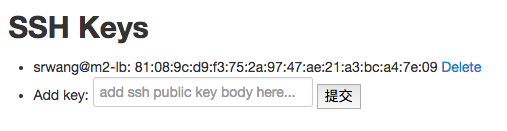
- (不知道如何產生 SSH Keys 可以參考 https://help.github.com/articles/connecting-to-github-with-ssh/)
- 按下 Add Project (Project note 只是備註用,可以不輸入)
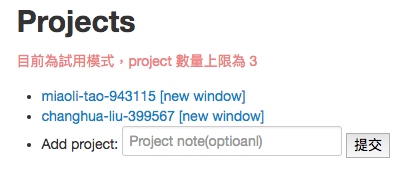
- 點進去新增的 project 名稱
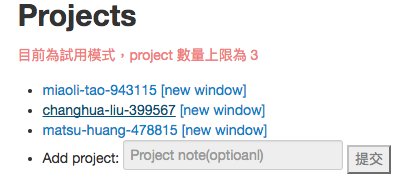
- deployment 區可以看到 git 的位址,會像是 git@try.middle2.com:matsu-huang-478815 ,後面是你的專案代碼

- 把你的程式碼推上去,各種語言範例如下
- PHP: https://github.com/middle2tw/helloworld-php/
- NodeJS: https://github.com/middle2tw/helloworld-nodejs
- Ruby: https://github.com/middle2tw/helloworld-ruby
- Python: https://github.com/heroku/python-getting-started (借 Heroku 範例)
- 推完後,push 訊息會提供成果網址 http://[專案代碼].try.middle2.me/,連入就可以看到結果了
